


 Send Inquiry
Itanta Reporting Software


Itanta Reporting Software Specification
- Capacity (Person)
- Unlimited Users
- Usage
- Reporting and Analytics
- Language Support
- Multi-language
- Interface Type
- Graphical User Interface (GUI)
- Security Features
- Access Control, Audit Trail, Encryption
- Support System
- Online and Onsite Support
- Compatible System
- Windows
- Type
- Reporting Software
- Application
- Business reporting
- Data Source Integration
- Supports Multiple Data Sources
- User Management
- Role-Based Access
- Operating System Requirements
- Windows 7 or above
- Mobile Accessibility
- Yes
- Custom Report Design
- Available
- Data Visualization
- Graphs, Charts, Dashboards
- Deployment Type
- Cloud and On-Premises
- Update Frequency
- Automatic Updates Supported
- Trial Version
- Available
- Installation
- Single-click Installation
- Export Options
- PDF, Excel, CSV
- License Type
- Perpetual and Subscription
Itanta Reporting Software Trade Information
- Minimum Order Quantity
- 1 Unit
- Payment Terms
- Cash in Advance (CID)
- Supply Ability
- 100 Units Per Month
- Delivery Time
- 2-10 Days
- Main Domestic Market
- All India
About Itanta Reporting Software
Distinctive Features and Versatile Application Media
Itanta Reporting Software delivers extra features such as advanced data encryption, comprehensive audit trails, and real-time data visualization with graphs, charts, and dashboards. The software's application media allows rapid deployment via single-click installation and supports Windows 7 or above. Special features like custom report design and integration with multiple data sources set it apart, ensuring adaptability in dynamic business environments for exporters, manufacturers, service providers, and more.
Main Domestic Market and Supply Policy
Itanta Reporting Software is stocked ready for rapid order completion across India's premier business locations. Supply ability supports an unlimited number of users with prompt delivery upon quotation approval. Our sample policy offers a trial version to help customers evaluate fit for their needs before finalizing procurement. Responsive stock management ensures timely availability for enterprises seeking robust business reporting solutions from order placement to deployment.
FAQ's of Itanta Reporting Software:
Q: How does Itanta Reporting Software support multiple deployment types?
A: Itanta Reporting Software is available for both cloud-based and on-premises installations, allowing organizations to choose the environment that best fits their security, infrastructure, and operational preferences.Q: What export formats does the software support for reporting?
A: Users can export their reports in PDF, Excel, and CSV formats, making it easy to share and analyze data across different platforms and business workflows.Q: When can updates be expected and how are they delivered?
A: Automatic updates are supported by the software, ensuring that all features, security enhancements, and improvements are delivered seamlessly without disrupting ongoing operations.Q: Where can role-based access and mobile accessibility be utilized?
A: Role-based access and mobile accessibility are integral features, allowing users to securely access and manage reports on-the-go from any Windows-compatible mobile or desktop device.Q: What benefits does custom report design provide for businesses?
A: Custom report design empowers businesses to tailor analytics and presentation formats according to their specific departmental and operational needs, enhancing accuracy and relevance in decision-making.
Price:
- 50
- 100
- 200
- 250
- 500
- 1000+

More Products in Monitoring Software Category
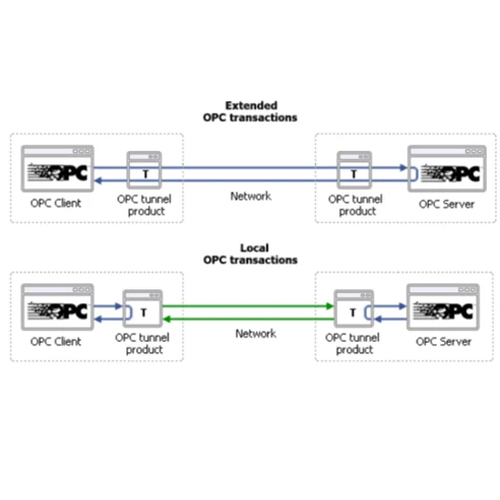
OPC DA tunneler
Price 21000 INR / Unit
Minimum Order Quantity : 1 Unit
Security Features : Data encryption, user authentication, secure tunneling
Support System : Windows 7/8/10, Windows Server 2008/2012/2016
Application : Industrial automation, remote OPC DA client/server communication
Compatible System : OPC DA 2.x, 3.x servers and clients

IoT Scada System
Price 75000 INR / Unit
Minimum Order Quantity : 1 Unit
Security Features : Data Encryption, Multilevel User Authentication
Support System : Windows, Linux
Application : Industrial Automation, Remote Monitoring, Process Control
Compatible System : PLC, DCS, Sensors, Smart Devices
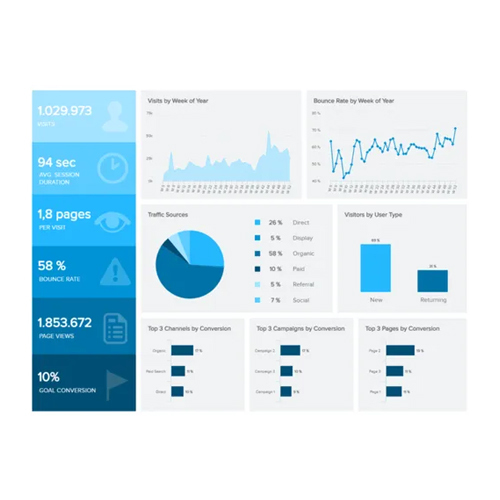
Data Reporting Monitoring And Mis Solutions
Price 30000 INR / Unit
Minimum Order Quantity : 1 Unit
Security Features : Rolebased Access Control, Data Encryption, Audit Trails, Multilevel User Authentication
Support System : Technical Support, Software Updates, User Training
Application : Business Intelligence, Data Analytics, Performance Monitoring, Financial Reporting, Realtime Tracking
Compatible System : Windows, Linux, MacOS, Cloud Platforms
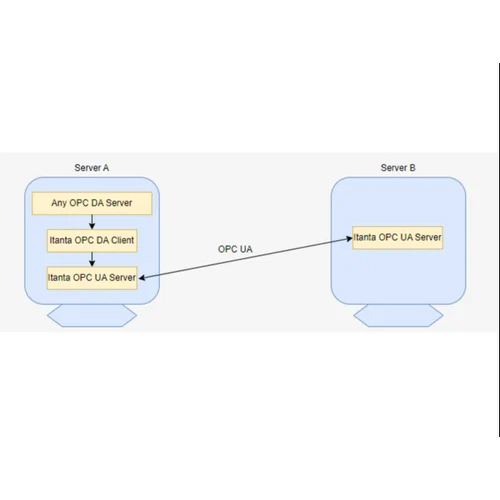
OPC DA Server to OPC UA Server
Price 114000 INR / Unit
Minimum Order Quantity : 1 Unit
Security Features : User authentication, Rolebased access control, Encrypted communication (SSL/TLS)
Support System : Windows 7/8/10/11, Windows Server 2012/2016/2019, Linux (selected distributions)
Application : OPC DA to OPC UA protocol conversion, Industrial automation data exchange, SCADA and DCS system integration
Compatible System : OPC Classic (DA 2.x & 3.0), OPC UA 1.02 and newer, MQTT clients

Developed and Managed by Infocom Network Private Limited.

